Technical Support & Device Information
Everything you need to manage your device and resolve issues.
Device Specifications
- Operating System: Android 11
- GPS based play (not available where movie hall is running).
- DRM Protection: Widevine L1 Certified
- Video Quality: HD 1080p and above
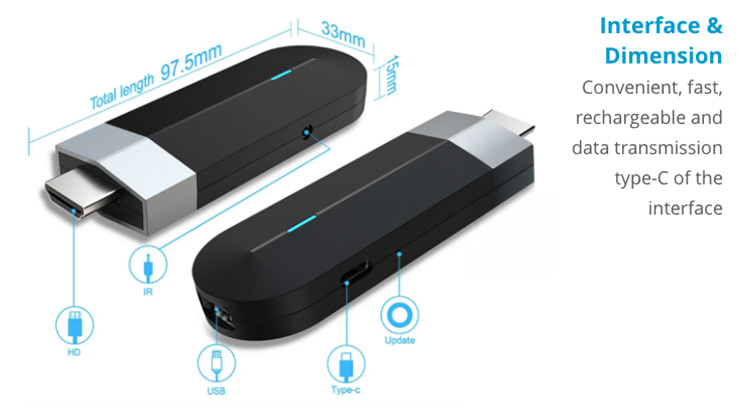
- Connectivity: HDMI plug & play
Setup Instructions
Plug the KST Stick into the TV HDMI port, power it via USB Type-C, and follow on-screen steps. For CRT TV, use our AV Converter.
Troubleshooting
- If streaming issues occur, check your power supply.
- If the device is not detected, reconnect or try another HDMI port.
- For malfunction under warranty, contact support.
1.How do I get my earnings?Earnings are tracked and paid regularly through bank transfers.
2.How do I get technical support for my dongles?Contact support via email or the helpline on your partner dashboard.
3.How is my payout processed?Earnings are calculated based on plays and paid monthly.
4.What if I lose my device or it malfunctions?Notify us immediately. Replacement or repair is available based on terms.
5.Training and onboarding materialsVideos, guides, and FAQs are available on your partner portal.
For further assistance, please contact:
- Email: support@kissashurutalkies.com
- Working Hours: Monday to Saturday, 9 AM to 6 PM IST
Subscribe to Kissa Shuru Talkies
Subscribe to Kissa Shuru Talkies and follow us for exclusive inspiration, the latest updates, and invites to events near you.